Study case
Institutional web portal for services requests – DODF UN
Product design · Web portal · UI · Implementación
Overview
The Office of Planning and Physical Development of the National University of Colombia is responsible for carrying out actions to recover and conserve the physical infrastructure of the Bogotá headquarters of this institution.
The other offices and faculties of the University contacted her to request furniture, interventions and physical maintenance, but they did so by telephone.
Background
The institution already had a brochure-type website, with incomplete information and multiple errors, based on a static interface defined in the design guidelines document, lacking strategic or functional support.
In reality, this site was never used and did not present the basic information required by those who approach the entity.
The problem
The institution did not have an effective means to simplify the basic processes of information and procedures for requesting the offered services.
Goals
1
To have a website to disseminate information about the DODF and the services it offers.
2
To make available to all faculties a place to consult the guides for carrying out procedures and requesting services.
3
To exhibit the works carried out by the DODF in a dynamic and organized manner.
The project had to be developed on an authorized CMS with which the office could update its content independently, so it was agreed to use Joomla.
My role
The user
Pain points
1
Users did not have access to the procedures guides and other information needed to make requests.
2
The process of requesting resources from the DODF was very slow and complex.
3
The website was incomplete and only had basic and outdated information.
Research
User persona
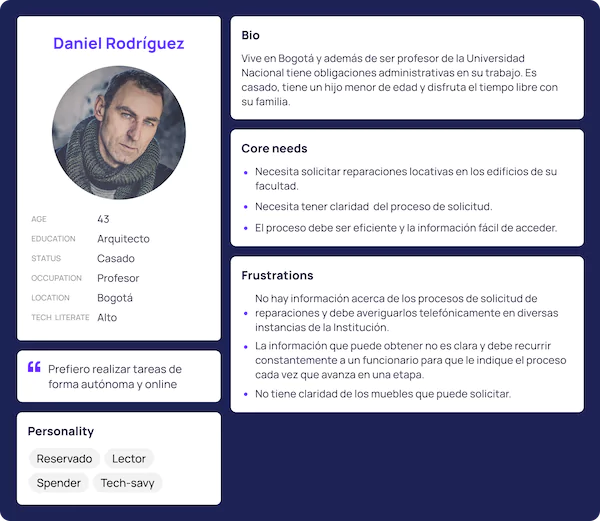
The user profile was very specific and the tasks to be performed were very specific, mainly teachers and career directors who needed to request a repair or furniture.
&
Process
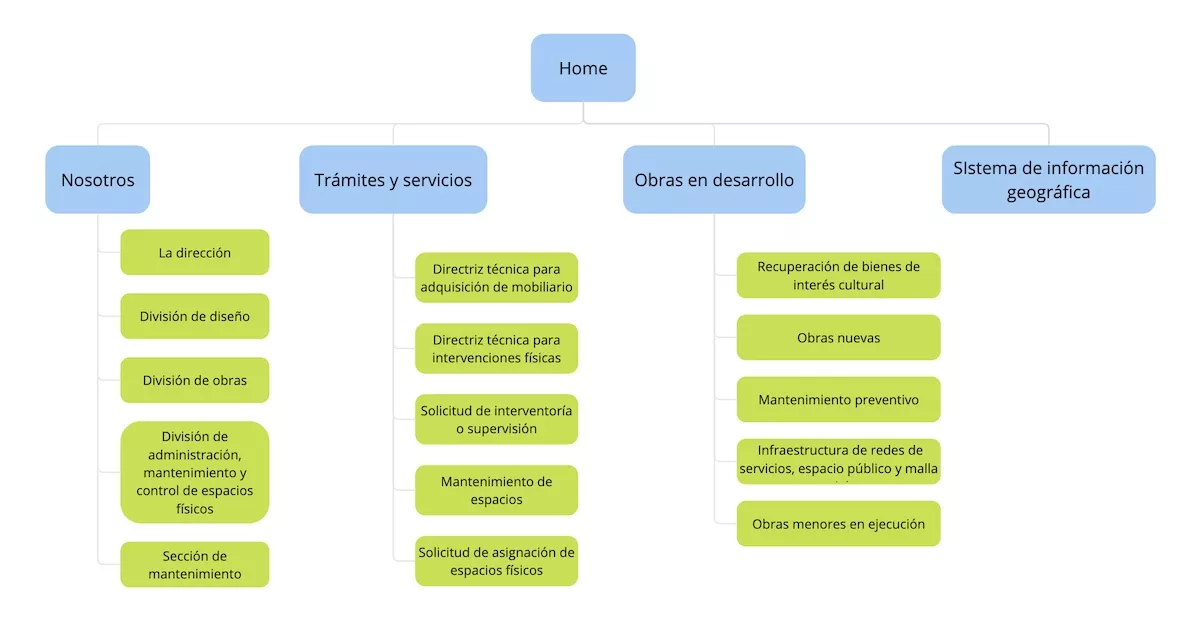
Architecture -Sitemap
The client had defined a basic navigation scheme that served as the basis for building the site architecture and the flows that the user should follow.
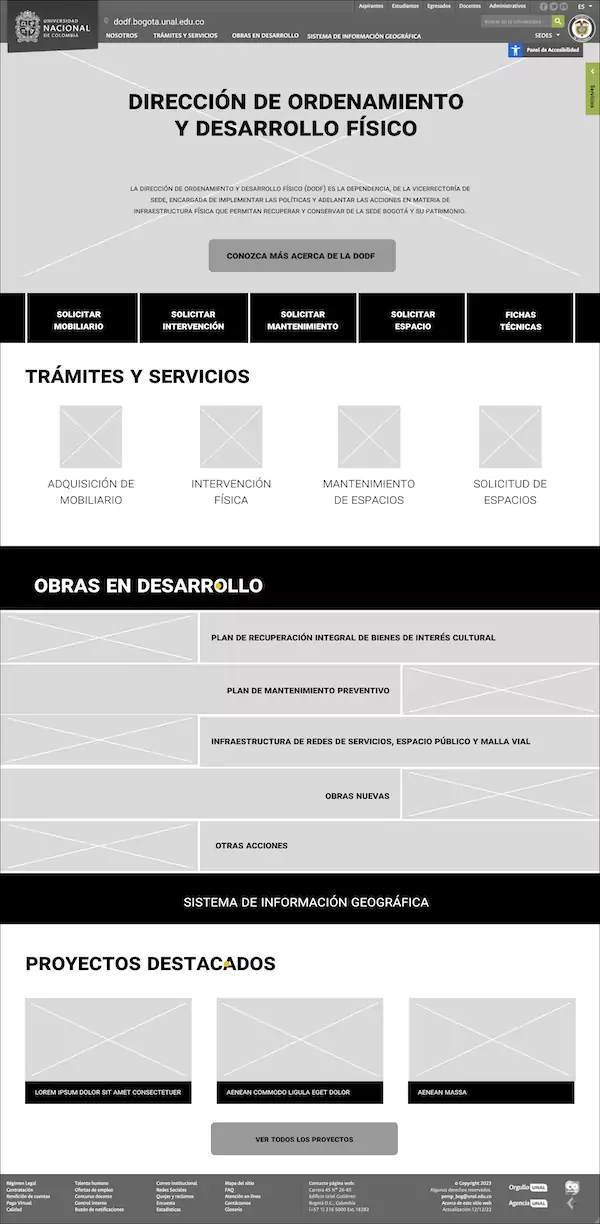
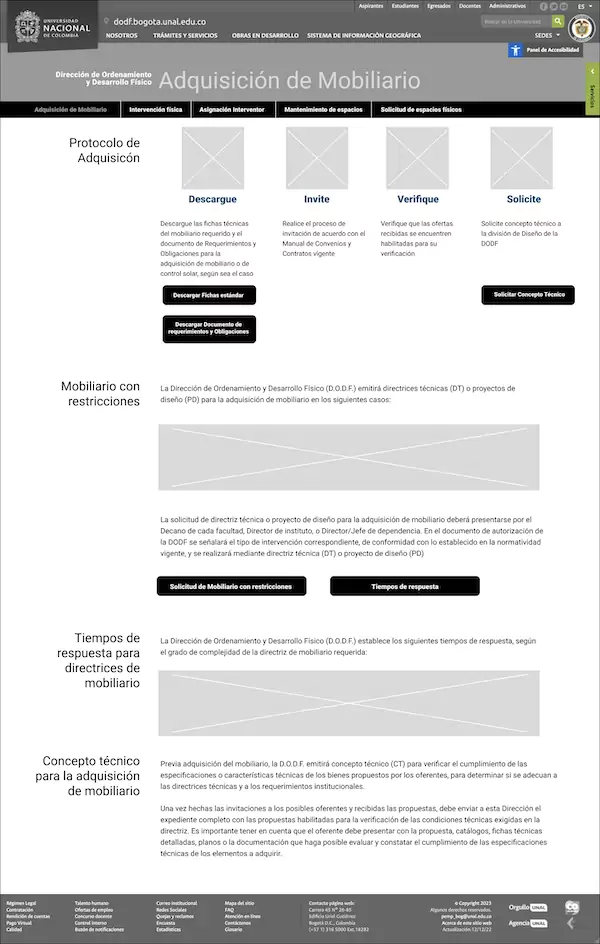
Wireframes
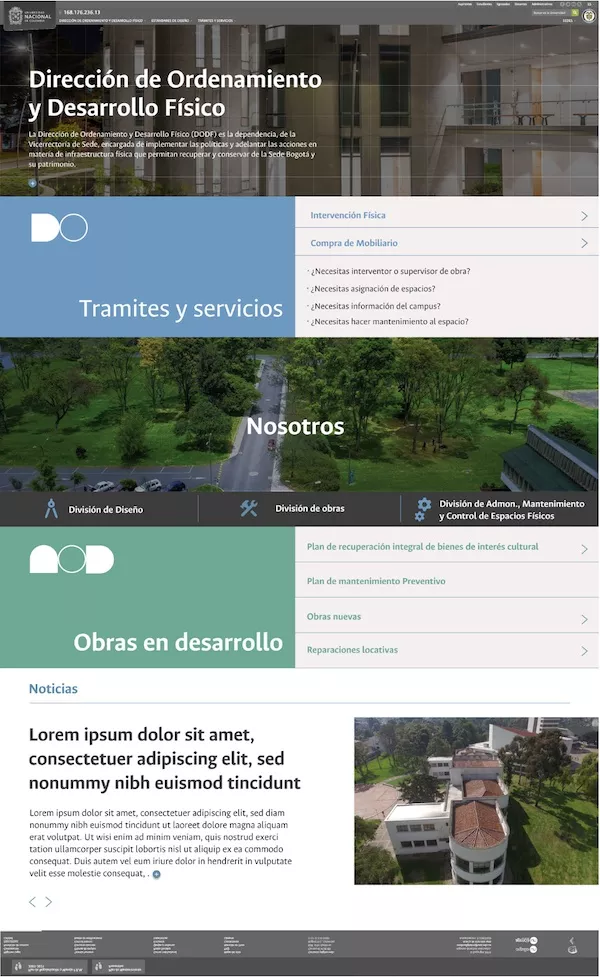
I started the design process by defining wireframes for the main screens, keeping in mind that I had to use the institutional header and footer as the website frame.
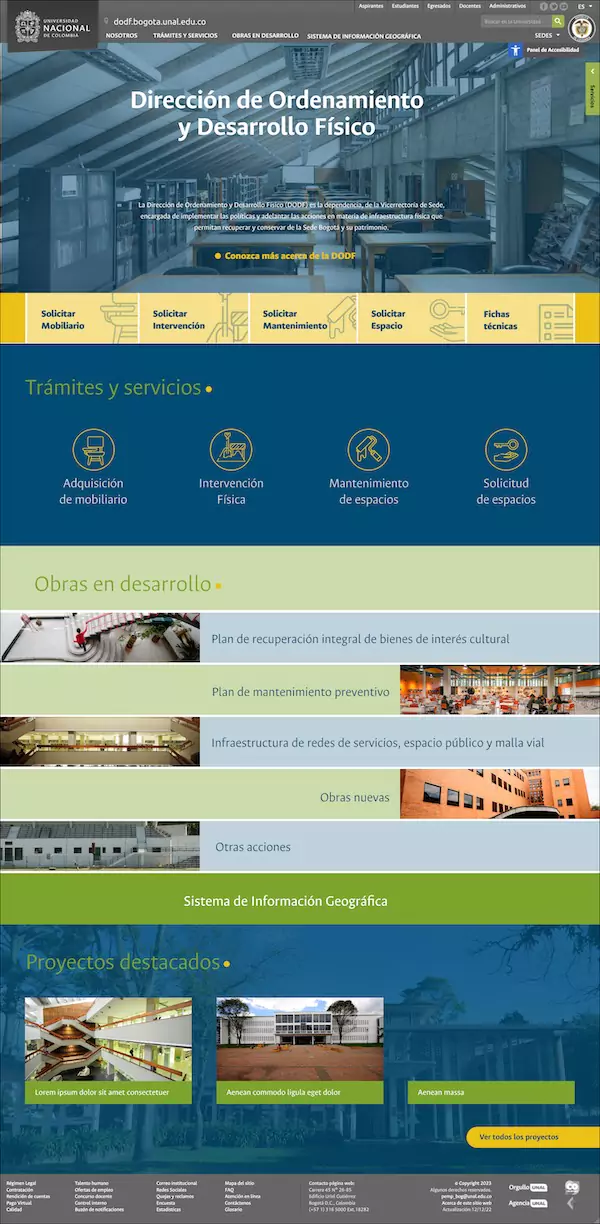
High fidelity prototypes
Once the elements required for the main interfaces were established, I defined the design parameters and implemented them in the first version of the prototype, defining an initial design system: typography, colors, and hierarchies. Following corporate identity guidelines, I used the institutional font.
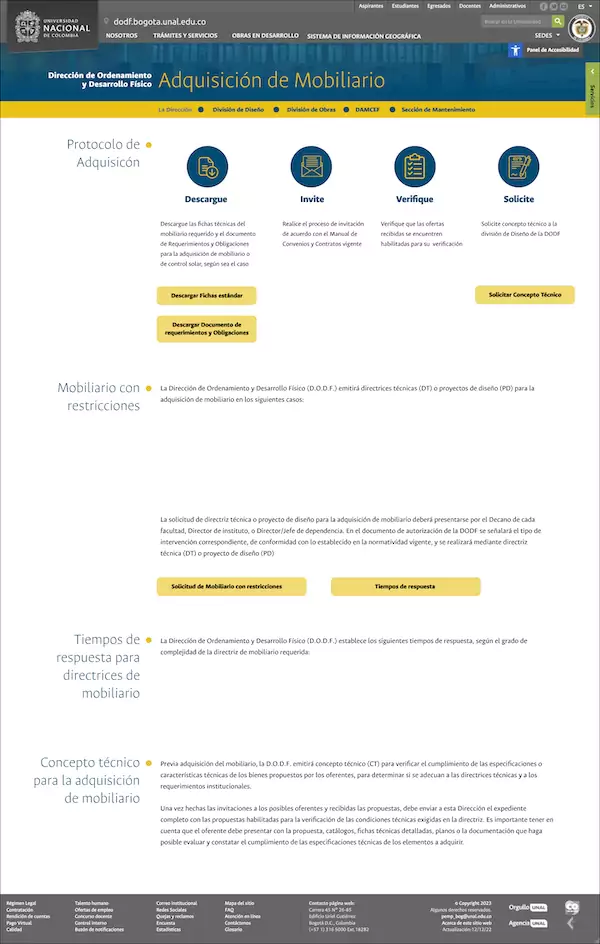
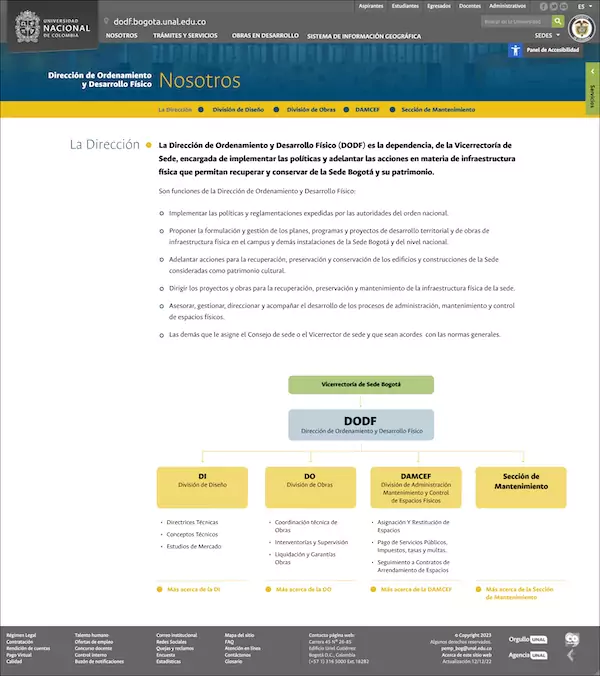
Feedback & iteration
Next, I presented the design proposal to a group of 10 people from the office, with various roles and involved in different stages of the processes carried out by the entity.
Based on the feedback, I made adjustments to the structure of the home page and presented 3 alternative color proposals.
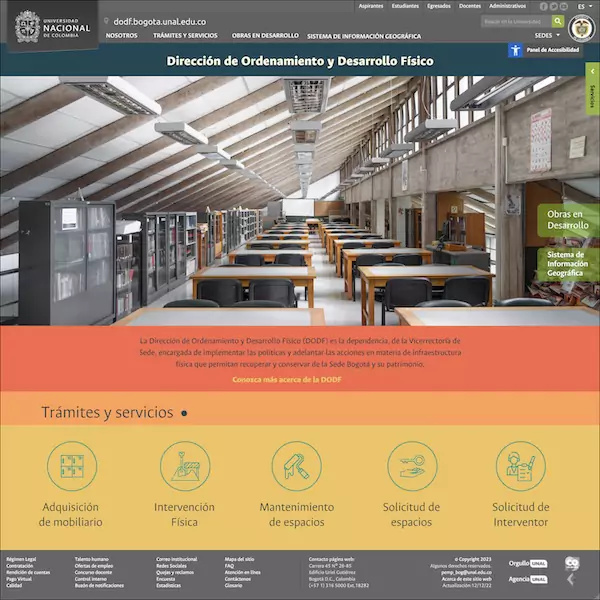
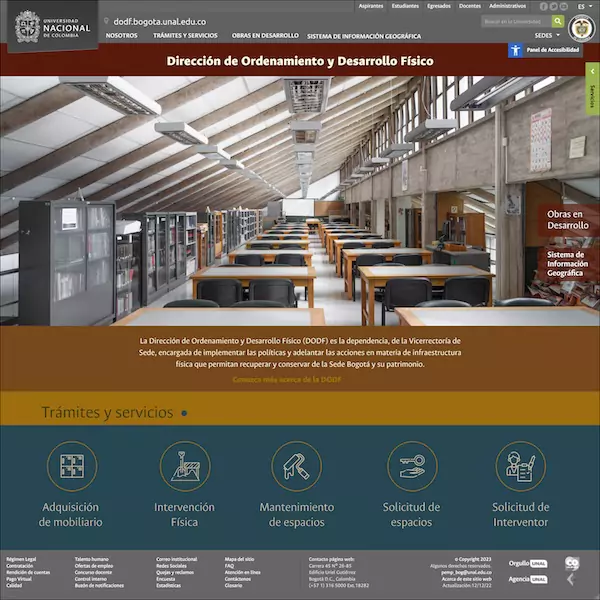
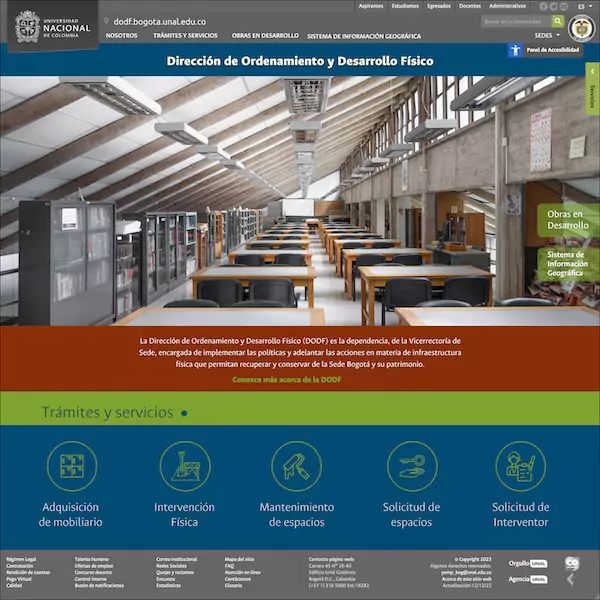
Improved digital prototypes
Together with the client we decided to keep the initial color proposal and make some additional adjustments to the layout, simplifying the home page.
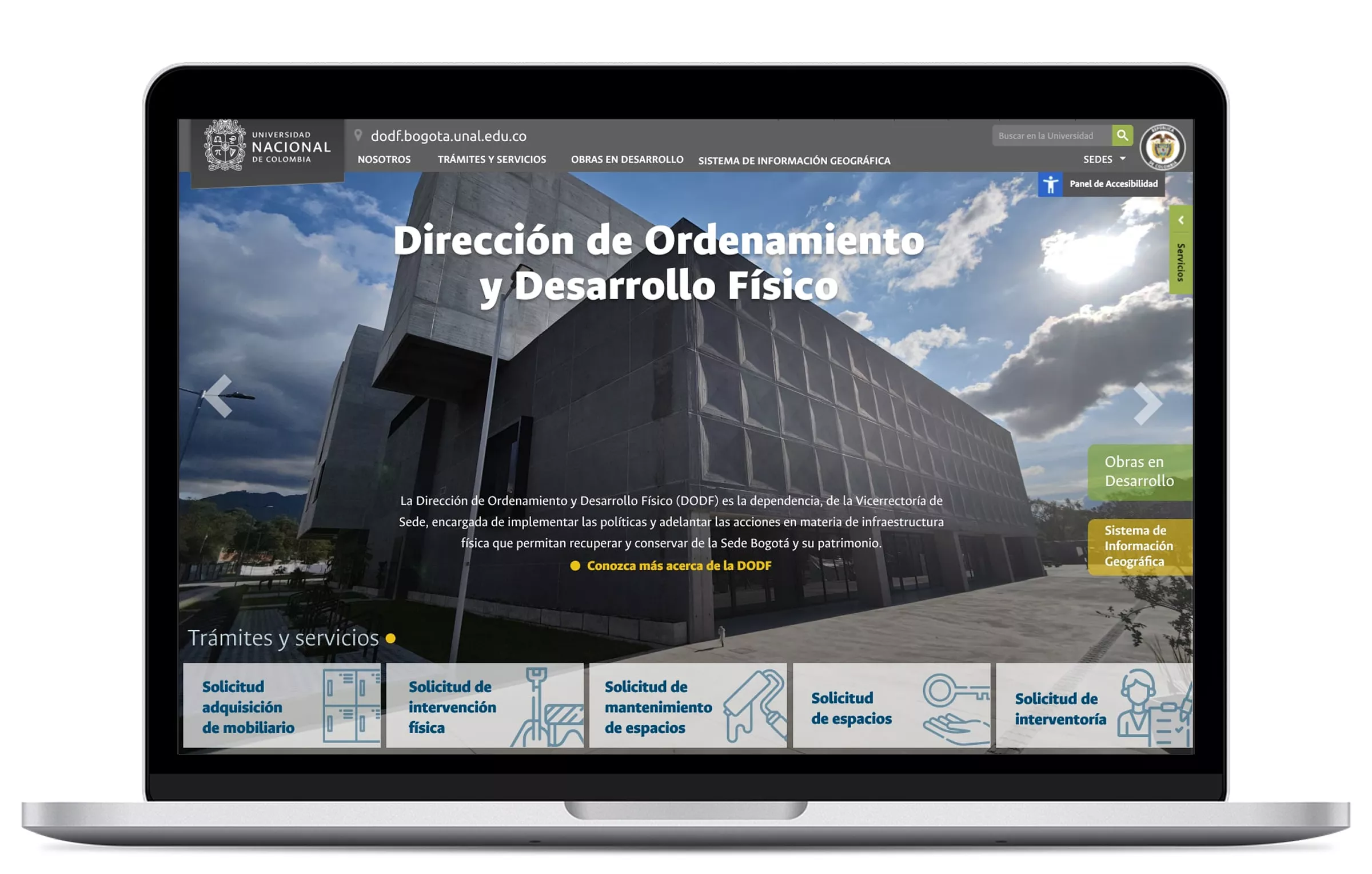
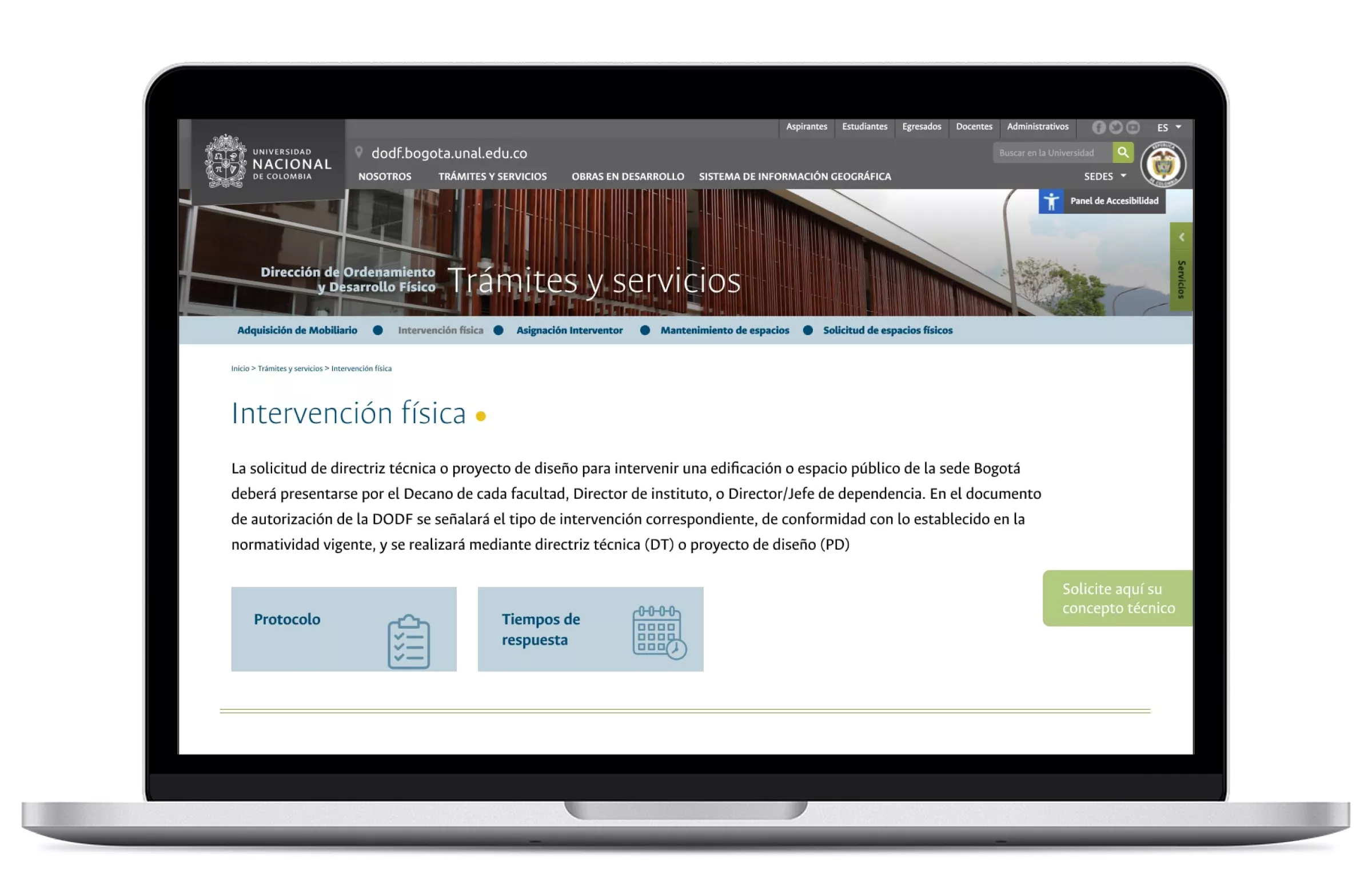
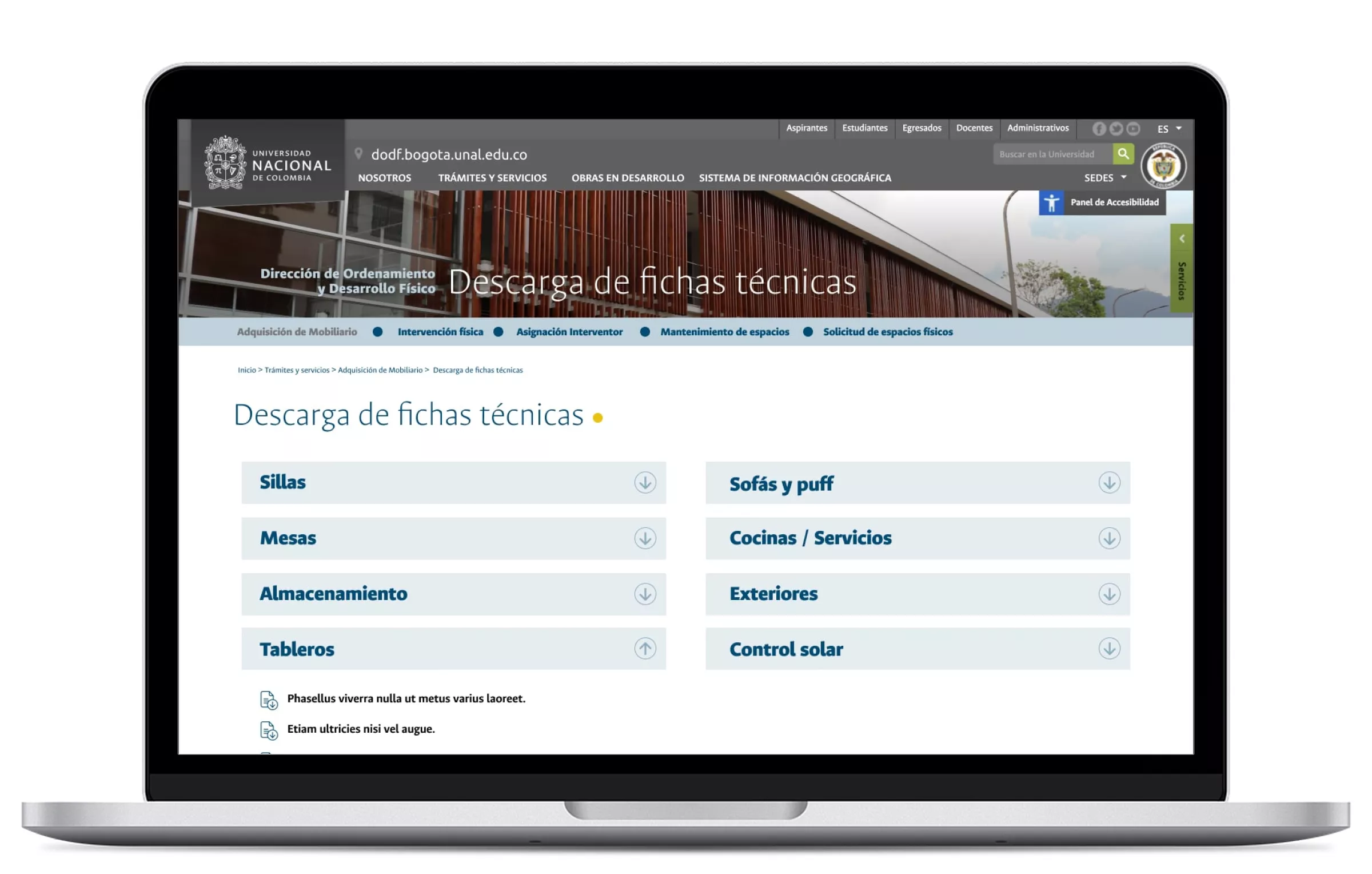
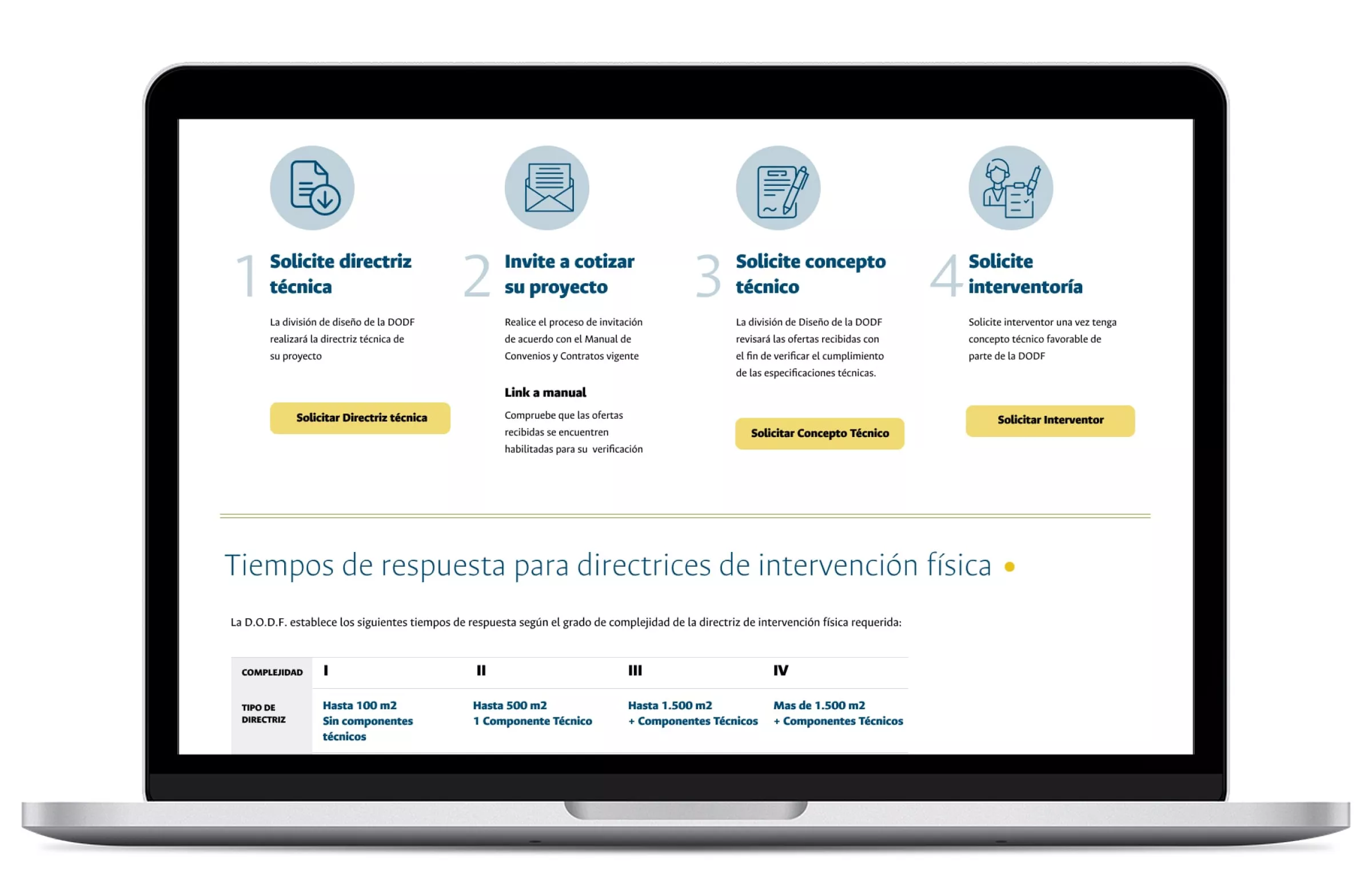
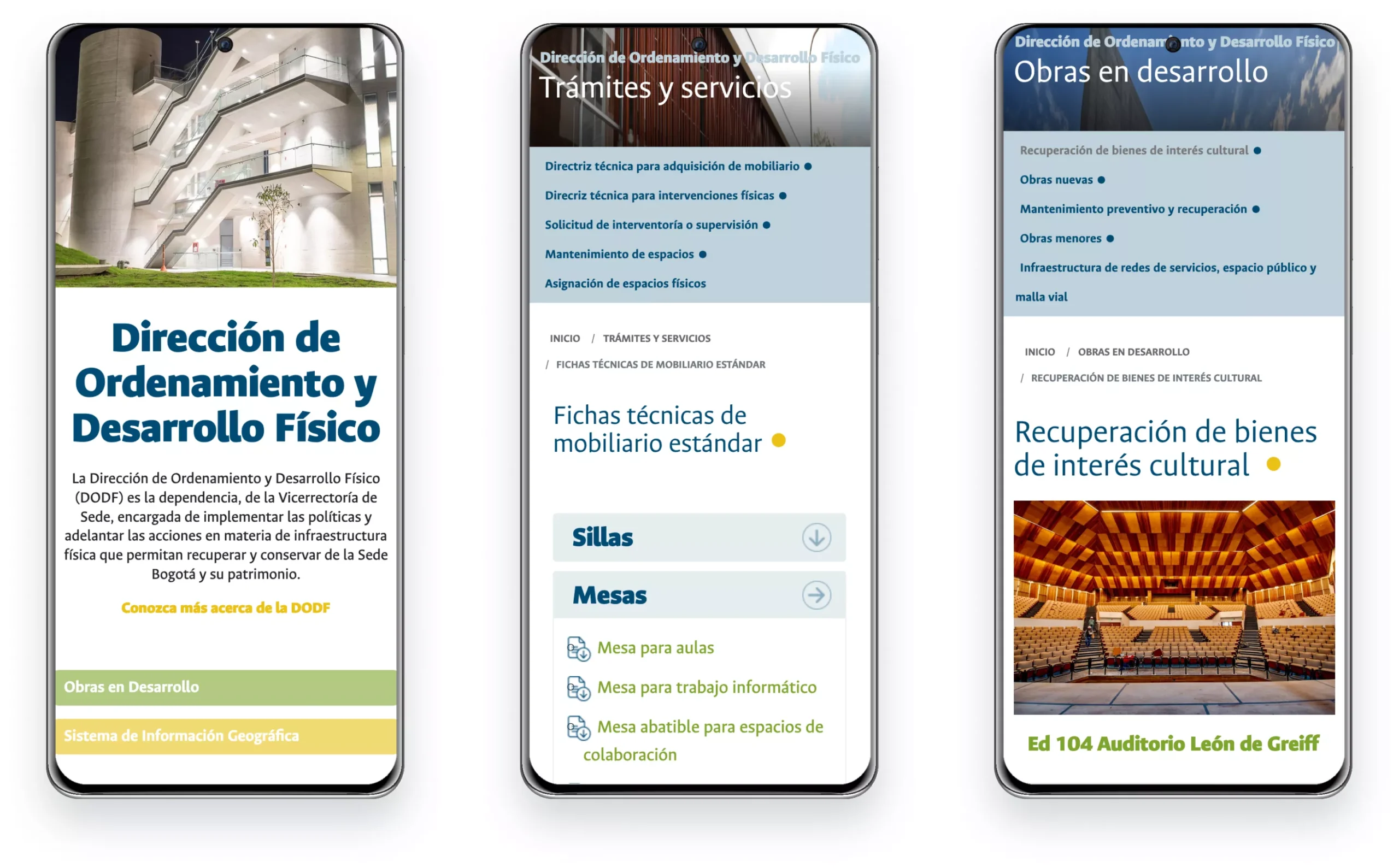
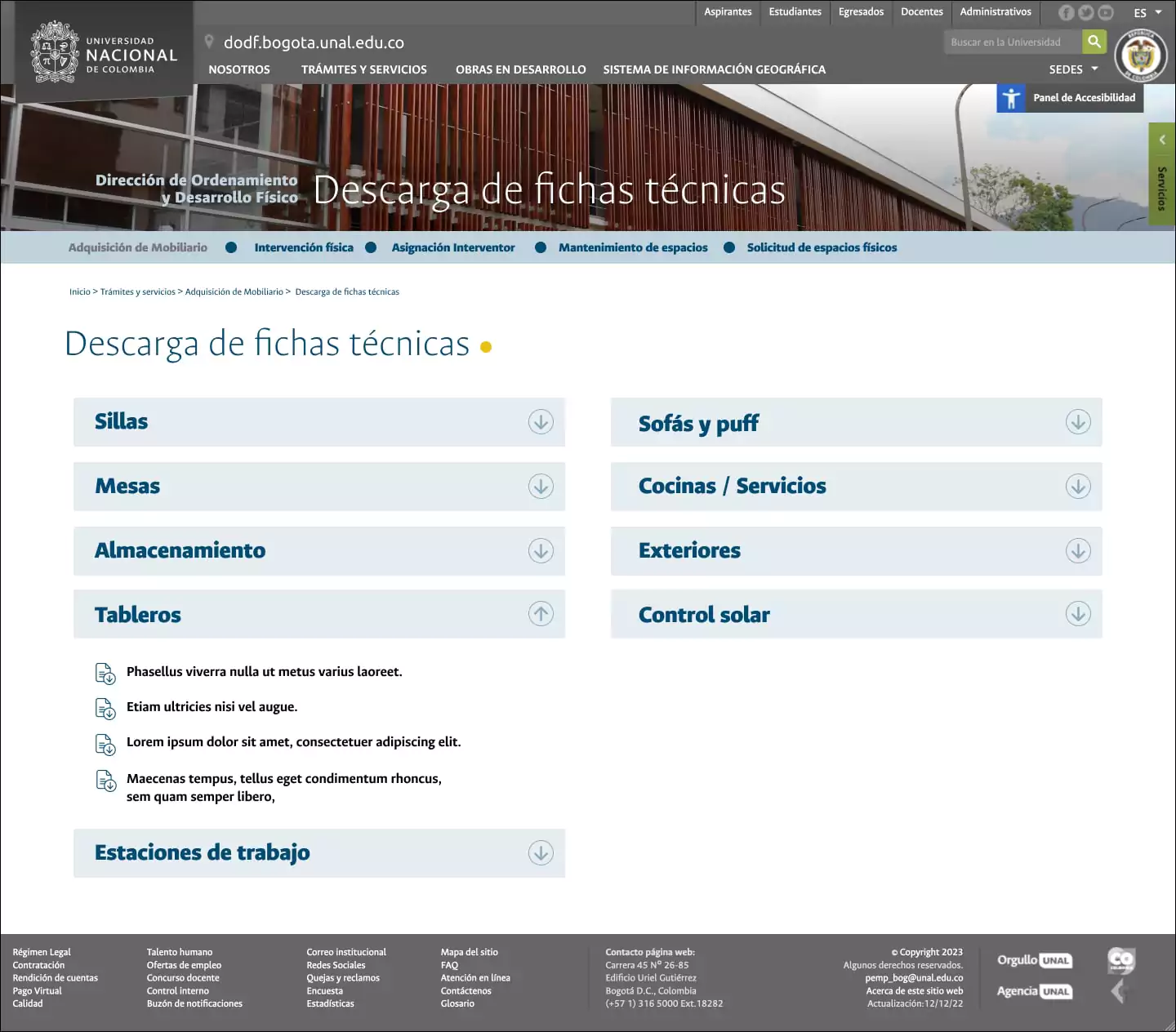
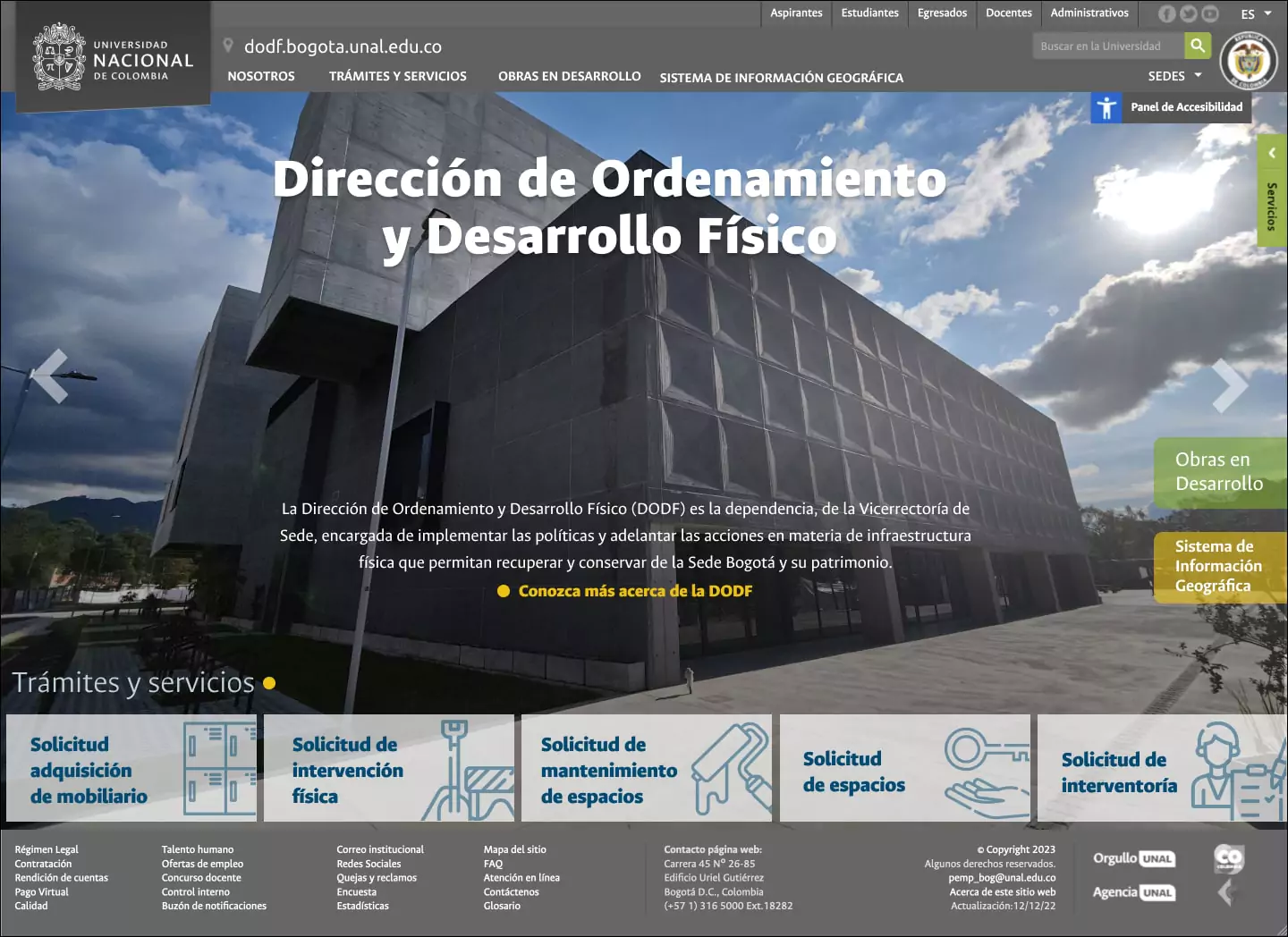
Finished and published product:
https://www.ordenamiento.bogota.unal.edu.co
Conclusions
Impact
Learnings
- Having the information and user flows defined from the beginning, validated by different actors, were crucial in the efficient execution of the project.
- Feedback from different profiles of real users involved in the processes, and not fictitious users or only with similar profiles, allows effective validation of the design.
- Sometimes initial ideas become the definitive ones, after a process of iteration that ultimately strengthens that idea.